
Beginner’s guide to multi-user dungeons (MUDs)
Share this post
Ready to try a MUD? Learn how to find free text-based games to play, how to connect from your browser, and which clients make playing easier.
So you’ve heard about MUDs and want to try one for yourself. What kinds of games are out there? Where do you find one that fits? And do you need to download anything special to play?
In this beginner’s guide, I’ll walk you through the different kinds of MUDs, where to find free games to play, and how to get your bearings once you’re in.
New to the term? The glossary entry on MUD covers what “multi-user dungeon” actually means, where the name came from, and why you’ll also see the family written as MU*.
What kind of MUD should I play?
There are hundreds of MUDs out there, and no two play quite the same way. Browsing a game list blind can be overwhelming, so before you open one, take a minute to think about how you like to play.
Do you want to fight monsters and level up? Compete against other players? Write stories? Or just hang out with interesting people? Each answer points to one of four broad playstyles:
- Hack-and-slash (PvE) – you fight monsters, complete quests, and level up your character. A natural first stop if you’re coming from MMOs or like steady progression.
- PvP – built around competing against other players, often in clans or factions. For players who want real opponents and higher stakes.
- Roleplaying – collaborative storytelling, where you write your character’s words and actions in scenes with other players. The natural home for forum and Discord RPers.
- Social – lighter on game systems; hanging out, chatting, and making friends is the point.
Most modern games mix several of these. My post on the 5 basic MUD styles breaks each one down, including which might be your jam. Games also typically identify themselves as hack-and-slash (H&S) style, roleplaying, PvP-oriented, and so on right in their directory descriptions.
Stay flexible on genre
Another way games differ is by genre or fandom. There are many options out there, from fantasy to cyberpunk (or fantasy AND cyberpunk, as in the case of Shadowrun), Harry Potter to Star Wars, anime, supernatural horror, and more.
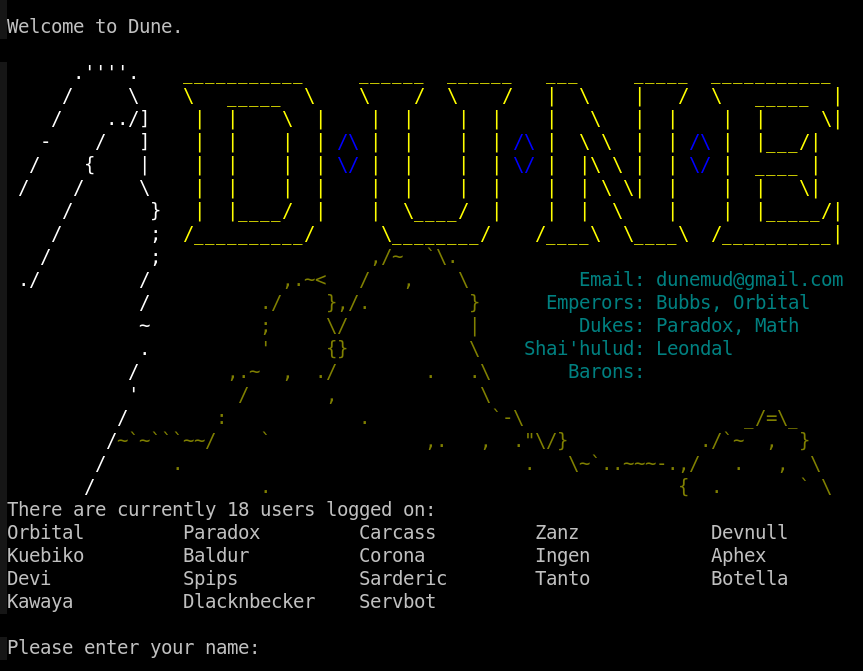
Naturally, the genre of the game has a big impact on the types of NPCs and zones you’ll encounter, as well as things like available spells and abilities.
In a medieval fantasy game, you’re more likely to encounter sorcerers and magic spells, for example. In a cyberpunk game, you’re more likely to encounter modded-out enforcers with guns.
One thing genre is not: a plan. Not every combination exists (there may be no hack-and-slash Harry Potter game waiting for you), so rather than deciding in advance, browse the listings and see what grabs you. Genre is usually front and center in a game’s description.
Check the culture before you commit
Games also differ in their culture and the communities that surround them.
Two games can share the same codebase and genre but have completely different expectations about how players will interact with each other!
For example, some games are roleplay-enforced (RPE), which means players aren’t allowed to talk about out-of-character (OOC) things using in-character (IC) speech and channels.
Other games are much more relaxed and don’t care if someone talks about Sunday night’s sports game in the faction chat.
Culture takes a little more digging to judge from the outside. Before you commit to a game, skim its website or rules page: roleplay-enforced games usually say so up front, and a game’s policies around things like metagaming and adult themes tell you a lot about how it’s run. Games also typically include their rules early in the character creation process and will require you to read and abide by the policies in order to play.
What about the codebase?
The codebase is the software a game is built on. Ultimately, you don’t need to know about a game’s codebase before you play, and most games are built on heavily modified code, but if you find that two games feel similar, it’s probably because they share some common ancestry!
In short: know your playstyle, keep an open mind about everything else, and you’re ready to start browsing.
Where can I find a free game to play?
To find a game to try, you can start by browsing a MUD directory. There are several to choose from. At the top of my list is Grapevine.
Unlike some of the classic directories, Grapevine doesn’t include a voting/review system or advertisements. It presents games in a nice clean format, has a working search feature, and shows you whether a game is currently online (available) or offline (unavailable).
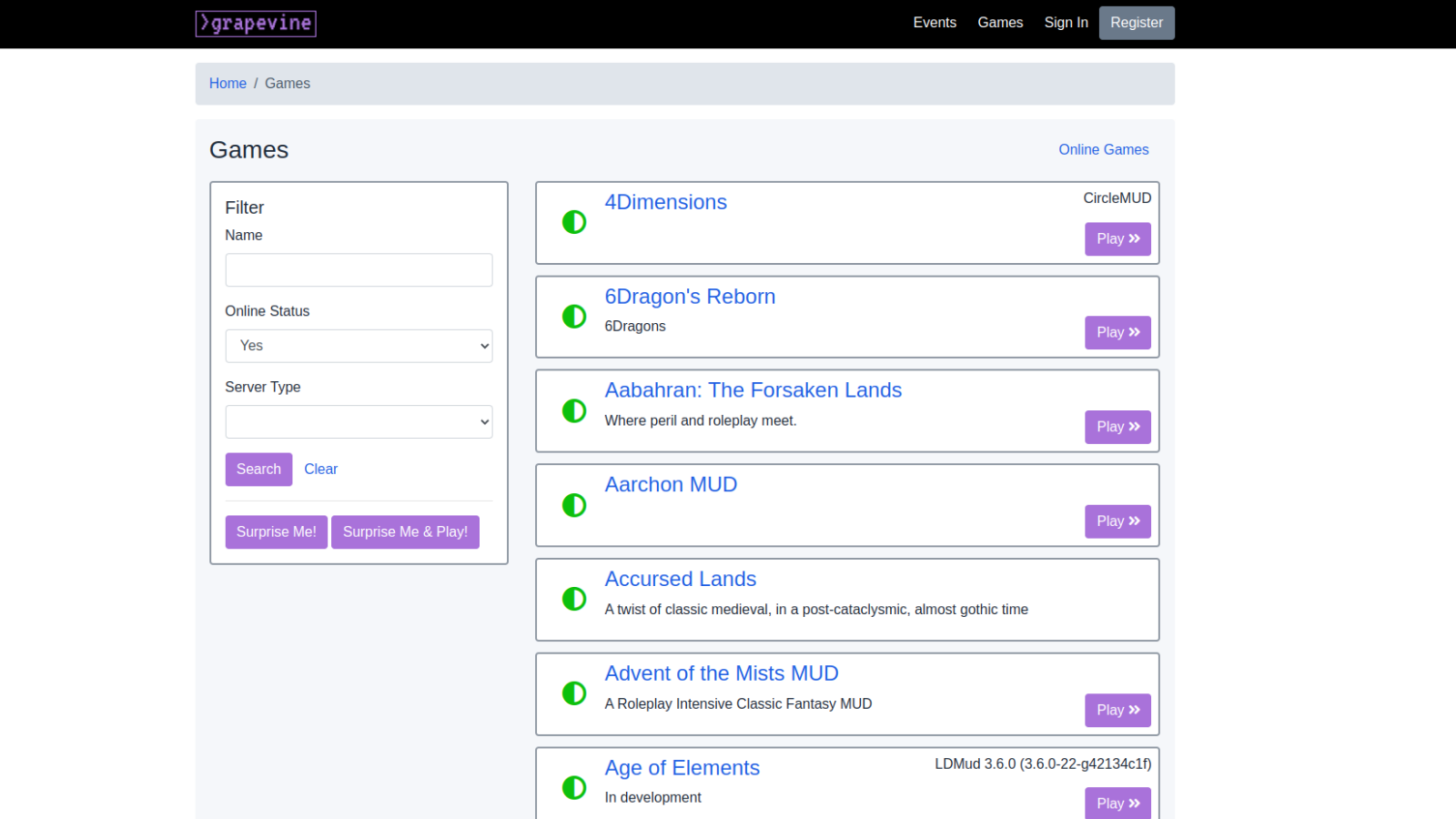
Aside from Grapevine, there’s also LociTerm and MudVault. Both options provide a web client so you can try games right from your browser.
Other directories are listed on my MUD Resources page. Just be aware that some listings haven’t been updated to use SSL (they have http:// in the URL instead of https://), so your browser may yell at you about them being unsafe or not secure. Use them at your own risk.
Prefer to start with a specific game? I’ve written about a handful in depth:
- Alter Aeon – classic adventure MUD with solid screen reader support (alteraeon.com)
- AwakeMUD – Shadowrun-inspired roleplay (awakemud.com)
- Cryosphere – satirical sci-fi with puzzles and dialogue (cryosphere.org)
- EmpireMUD – accessible map-based city-builder (empiremud.net)
- NukeFire – friendly, co-op PvE with lots of progression (nukefire.org)
Still can’t decide? r/MUD on Reddit is the place to ask for recommendations: describe what you’re looking for, and you’re likely to get several good suggestions.
Okay, I found a game! How do I connect?
Hooray! If you’re using Grapevine to look for a game, you’re in luck: it has a built-in web client. Just click on the Play button, and you’re good to go!
If you’re feeling adventurous, you can also try the Surprise Me & Play! button. It’s located just under the filter options.
I pressed the button and was taken to… Iberia! Iberia gets some free advertising. 😂 Actually, if you have time, it’s worth swinging by Iberia’s website, as they do list some pretty good MU* resources, too.
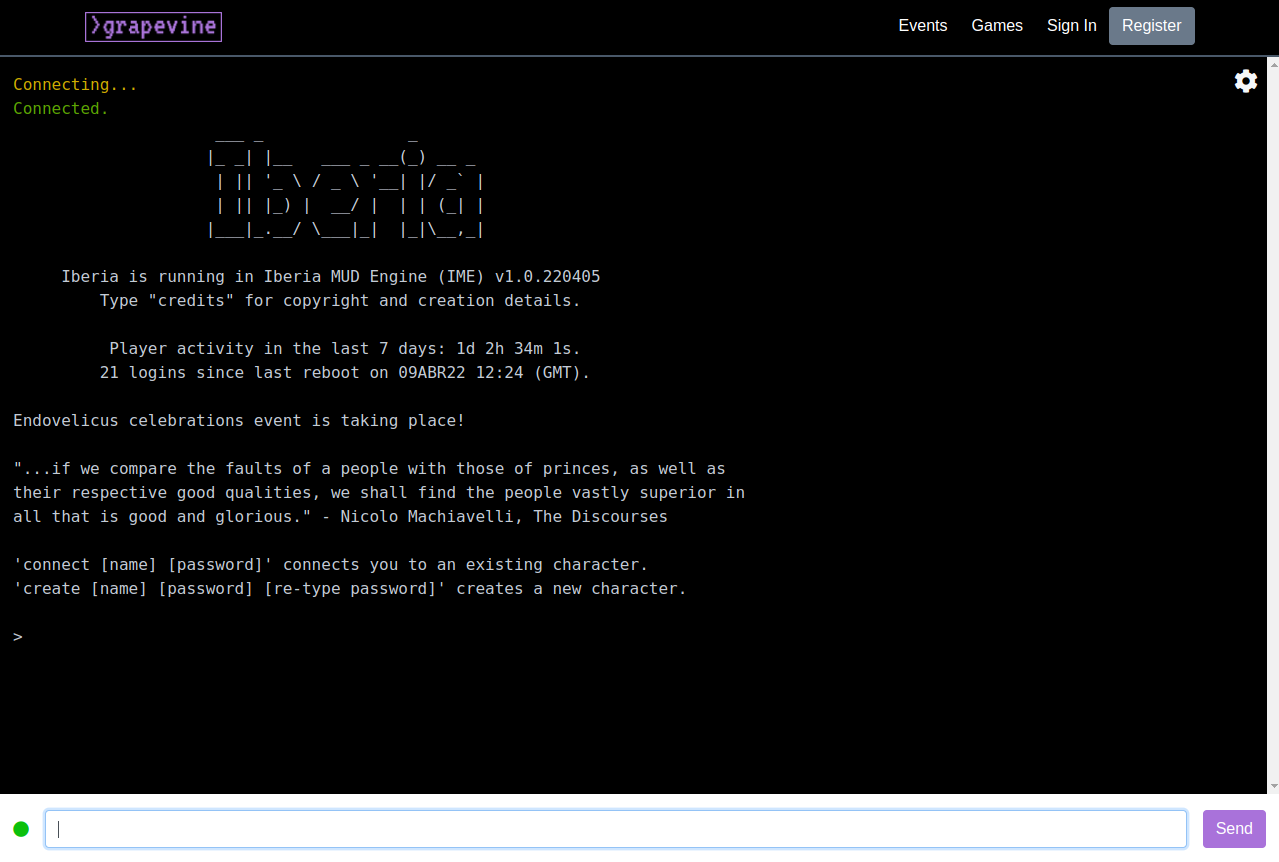
If you’re using a different directory to look for a game, it may or may not have a functioning browser-based client. Some do, some don’t. Some games even have their own custom-built web clients!
You may just need to poke around and explore a bit until you find something that strikes your fancy.
If you decide to try a roleplaying MUD, you may find my Beginner’s guide to roleplaying helpful.
I’m connected… now what?
If you’ve ever played an online RPG, you’ll notice that MUDs use many of the same concepts and slang words. You can think of them as chatrooms with special commands you enter to get things done.
Instead of clicking on a goblin to attack it, as you would in a video game, you might type something like attack goblin or kill goblin instead.
Most games start you with character creation. Take your time with it, and actually read the rules when they’re presented – they’ll tell you a lot about the game’s culture and what it expects from players.
What commands should I try first?
Once you’re in the world, a few commands will carry you a long way. The exact commands vary from game to game, but these work on most MUDs:
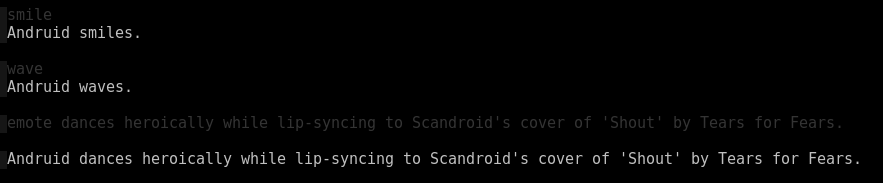
look(or justl) – describes the room around younorth,south,east,west(orn,s,e,w) – move from room to roomsay hello– says “hello” to everyone in the roomtell [player] hi– sends a private messagewho– shows who else is onlineinventory(ori) – lists what you’re carryingscore– shows your character’s statssmile,wave, and other socials – quick emotes, like in the screenshot abovehelp– opens the game’s built-in documentation; many games also havehelp newbiewritten just for new players
Zones and areas
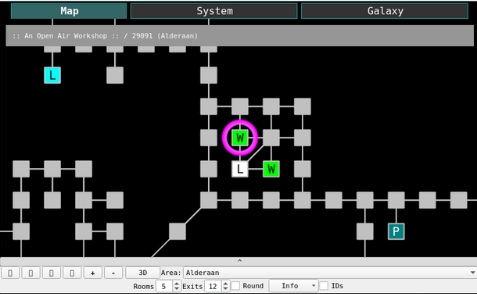
A zone is a mappable area usually dedicated to a particular city, region, theme, or set of puzzles and quests.
It’s similar to a zone in World of Warcraft and other MMORPGs.
In MUDs, these areas are made up of multiple rooms that players traverse in order to talk to NPCs, fight monsters, gather items, and complete quests.
How do I ask questions and get help?
Don’t be shy! Many games have a newbie or question channel, and the people on the other end are mostly friendly hobbyists. If you tell them you’re new, someone will usually be happy to show you the ropes.
Type help channels to see what’s available; besides newbie channels, many games also have an OOC channel for general out-of-character chat.
How do I find the game’s community?
Many games also have a community outside the game itself: a Discord server, a forum, or both, usually linked from the game’s website or login screen. It’s worth joining, since that’s where players ask questions, plan sessions, and keep up with game news.
Give a game a session or two before deciding whether it’s for you. The first session is mostly finding your feet; the second is when you’ll know whether you want to go back.
MUD clients
When you’re ready to level up, you’ll probably want to try out a full-blown MUD client that you download to your computer. A client isn’t always required, but using one does offer a few advantages.
For example, a client will allow you to customize the game window and set up shortcuts that will make connecting and playing easier.
Two of the most popular free clients are Mudlet and MUSHclient.
Personally, I use Mudlet on a Linux machine. It’s lightweight and superfast. It’s now also accessible to screen reader users!
Mudlet can still be a little intimidating if you’ve never done things like coding, scripting, or setting up macros. Also, the stock mapper in Mudlet isn’t quite as intuitive. If you enjoy writing your own scripts and building your own little databases of things, though, you’ll probably love it.
I also use TinTin++ sometimes when I’m out and about or want something lightweight and old-school.
Is there an app for that?
There sure is. I could probably write a whole blog post on desktop MUD clients and smartphone apps, and maybe I will. But for now, I’ll leave you with a tip: search your phone’s app store for “mud client.” Read the reviews, look at the features they offer, and try one out.
You can also check out my MUD Resources page for a few options.
Additional resources
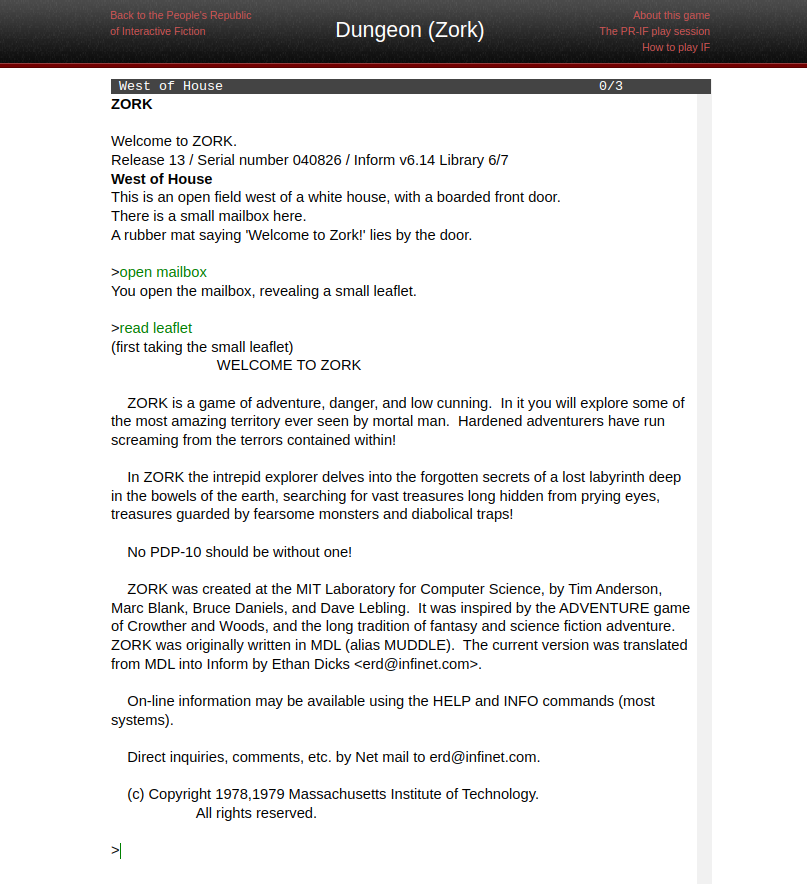
BONUS: If you want a blast from the past, try playing a version of Zork!
And lastly, for a bit more history, I’ve also written about the InterMUD chat network – a way that players could talk to each other from across different games.
Notes
- ↩
A character in a roleplaying game that is not controlled by a player, but by the game’s code, an administrator, or written into the environment. See NPC for the full definition, examples, FAQs, and more. ↩
Communication, thoughts, or actions coming from the player rather than the character, as distinct from in-character (IC) content. See OOC for the full definition, examples, FAQs, and more. ↩
Any writing, actions, or roleplay that occurs as part of the game and within the game’s fictional setting, as opposed to out-of-character (OOC) communication. See IC for the full definition, examples, FAQs, and more. ↩
The underlying software that runs a multi-user dungeon (MUD). See codebase for the full definition, examples, FAQs, and more. ↩
Any discrete space that player characters can occupy in a MUD. See room for the full definition, examples, FAQs, and more. ↩
A software program used to connect to and play a multi-user dungeon (MUD). See MUD client for the full definition, examples, FAQs, and more. ↩

About Andruid
Andruid (she/her) is a writer, roleplayer, storyteller, and nerd who tries to live by Bill and Ted wisdom, i.e. "Be excellent to each other." 🎸 She created Writing Games to share lessons learned and to introduce new players to the world of text-based games. Learn more.
Frequently Asked Questions
How do you play a MUD?
To play, you typically connect to the game’s server using your browser or a downloaded client, such as Mudlet. Once connected, you create a character, enter the virtual world, and use text commands to interact with the environment and other players.
What types of MUDs are there?
Too many to list! They can be classified into different genres, such as fantasy, sci-fi, historical, and even themed around popular books or movies (fandoms).
There are also 5 basic MUD styles that describe whether a game is more focused on PvE, PvP, socializing, roleplaying, or graphics. However, most games these days include elements of multiple styles.
Do I have to roleplay to play a MUD?
Many games welcome roleplay, but most do not require it. Games that do enforce it will say so up front in their rules.
In games that feature it, roleplaying means assuming the identity of your character and speaking and acting as that character, to immerse yourself in the story and setting.
Are MUDs still popular?
While video games have gained immense popularity over the years, multi-user games continue to have a dedicated fanbase.
Many players appreciate the depth of storytelling, social interaction, and immersive roleplaying opportunities that text-based games offer. Others like the ability to create automations and triggers that can help them progress in the game without having to type in commands by hand.
Text-based games also tend to be more accessible to screen reader users than video games, which makes them a good choice for players with visual impairments.
Can you play MUDs solo, or do you need to play with a group?
While some games can be played solo, the full experience often involves interacting with other players. Joining a community can make it easier to get help and progress faster.
For roleplaying MU*s, interaction is often essential to moving a character’s story forward or gaining experience (XP).
How do MUDs differ from massively multiplayer online roleplaying games (MMORPGs)?
MUDs and MMORPGs both involve multiple players interacting in virtual worlds, but the former are text-based and rely on text commands, whereas MMOs are graphical and often played with a keyboard and mouse.
Why are so many MUDs free to play?
Most games are hobby projects, run by volunteers for the fun of it. Licenses on the popular early codebases also prohibited creators from making money off their games, which cemented a culture of free games that has outlasted the licenses themselves.
For a lengthier discussion and more views on this topic, check out this thread in r/MUD.
More posts like this one
How to write room descriptions: tips and examples for world-builders
Updated Aug 9, 2026
Immersive Roleplay 101: the essential guide
Updated Aug 9, 2026
How to use a character arc roadmap in RP
Updated Aug 9, 2026

How to market your text-based game
Updated Aug 9, 2026

How to improve player retention in multi-user (MU*) text games: 15 tips
Updated Aug 9, 2026
Leave a Comment